5 Best Uniden Radar Detectors (October 2026)
The best Uniden radar detectors include the Uniden R7 for highway travelers, the Uniden R3 for familiar commutes, and the Uniden R4W for app-minded commuters.
On this page (10 sections)
- How we chose a Uniden radar detector
- Uniden radar detector picks for different needs
- Do you need directional arrows on a Uniden detector?
- Is GPS useful for everyday driving?
- Should you choose a connected Uniden model?
- How should you set up a Uniden detector before driving?
- How should you respond to radar and laser alerts?
- How do you care for the detector and keep alerts useful?
- Which buying mistakes should you avoid?
- Which Uniden radar detector should you choose?
The Uniden R7 is the best Uniden radar detector here for drivers who want signal direction, GPS mute memory and useful screen detail. Choose the R8W if connected features are also essential, or the R3 if familiar-route alerts cover your needs.
Start with the kind of information you'll actually use. Arrows help explain an alert, GPS memory reduces recurring distractions, and app support matters most when you're willing to configure and maintain another connected tool.
Our best radar detectors for cars guide compares other brands. If direction is already your priority, Uniden R7 vs R8 offers another comparison, though the R8 and R8W are different models.
Our picks at a glance
-
1

-
2

-
3
How we chose a Uniden radar detector
We favor useful alert information and manageable daily operation over the longest feature list. The R7 leads because directional information serves a clear driving need without making connected tools the reason to buy.
The scores reflect each model's fit within this roundup. They are editorial scores, not measured detection distances or proof that one model will warn first in every situation.
A long-range label cannot tell you how much warning you'll receive on a particular road. Hills, curves, obstructions and whether a radar source is transmitting all affect the signal available to detect.
The main buying split is between knowing more about a signal and reducing repeated distractions. Choose direction first if unexplained alerts bother you; choose route memory and filtering first if your commute passes recurring sources of interference.
| Product | Best for | Direction | GPS muting | Camera alerts | Our score |
|---|---|---|---|---|---|
| Uniden R7 | highway travelers | Dual antennas with arrows | Mute memory | Red-light and speed cameras | 9.1 |
| Uniden R3 | familiar commutes | No directional arrows | Mute memory | Red-light and speed cameras | 8.9 |
| Uniden R4W | app-minded commuters | No directional arrows | Auto mute memory | Red-light and speed cameras | 8.4 |
| Uniden R8W | connected road trips | Dual antennas with arrows | Auto mute memory | Red-light and speed cameras | 8.3 |
| Uniden DFR7 | basic daily reminders | No directional arrows | Mute memory | Red-light and speed cameras | 7.9 |
Uniden radar detector picks for different needs
The R7 is the starting point for directional awareness, while the R3 suits drivers who mainly want familiar-route reminders. The connected models make sense when their extra tools solve a specific need.
Read the skip advice as closely as the recommendation. A detector that matches your habits is a better choice than one whose features you'll leave unused.
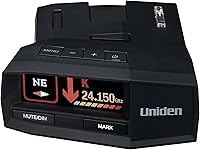
Uniden R7: our top Uniden radar detector pick
Uniden R7
- Dual antennas with directional arrows
- GPS mute memory
- Red-light and speed-camera alerts
- Multi-color OLED display
The R7 suits drivers who want signal direction and several alerts visible together. Its OLED display can show up to 4 signals with band and strength information.
Pros
- Arrows add direction to radar alerts
- GPS mute memory helps on repeat routes
- Free database and firmware updates
Cons
- Directional detail adds little if you only want spoken warnings
- Multiple signals require learning the display
Choose the R7 if an alert makes you want to know where the signal is coming from. Its dual antennas and directional arrows add context that a warning tone alone cannot provide.
The multi-color OLED can show up to 4 signals with band and strength information. That suits drivers who want to distinguish several alerts rather than see only one warning at a time.
GPS mute memory helps with recurring signals on regular routes, and user marks let you save places you want announced on approach. Keep those functions distinct: a saved reminder is not evidence of an active radar source.
The R7 includes camera reminders and free database and firmware updates. It fits highway travelers who want clear signal information and are prepared to learn what the display means.
Skip it if you mostly want spoken warnings and rarely look at alert details. Use our guide to where to mount a radar detector to place the screen where a brief glance is enough.
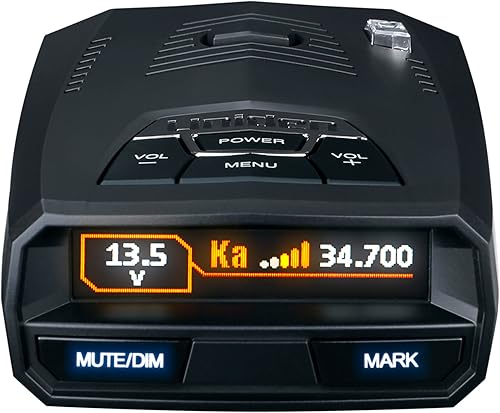
Uniden R3: familiar-route alerts without app priorities
Uniden R3
- GPS mute memory
- Red-light and speed-camera alerts
- Programmable voice alerts
- Multi-color OLED display
The R3 suits drivers who want repeat-location muting and spoken warnings without making app support part of the buying decision. It also includes camera reminders.
Pros
- GPS memory addresses recurring location-based alerts
- Programmable voice warnings reduce the need to read the screen
- Free database and firmware updates
Cons
- No arrows to show signal direction
- Location memory cannot address every moving source of interference
Choose the R3 when your daily needs center on GPS mute memory and spoken warnings. It suits a commute where recurring location-based alerts matter more than directional information.
Its programmable voice alerts let you tailor spoken information, while the multi-color OLED provides a visual reference. Set those preferences while parked so the detector is understandable before traffic demands your attention.
Preloaded camera locations and free database and firmware updates support ongoing use. The R3 also lets you mark locations for an approach reminder, which can help distinguish a place you've saved from a newly detected signal.
Skip the R3 if arrows are a firm requirement. Also look elsewhere if you specifically want connected tools or automatic learning rather than choosing a detector around its core alerts.
The Uniden R3 vs R4W comparison is useful if you're deciding whether connectivity will change your routine. Identify what you'd use the app for before choosing it as a reason to move away from the R3.
Uniden R4W: a connected choice for repeat routes
Uniden R4W
- Built-in GPS with auto mute memory
- Wi-Fi, Bluetooth and R/TACH app support
- Advanced K/Ka band filtering
- Voice alerts and OLED display
The R4W fits commuters who want connected features and automatic learning for recurring false alerts. Its K/Ka filtering also addresses interference from some vehicle safety systems.
Pros
- Wi-Fi, Bluetooth and R/TACH app support
- Auto Learn reduces recurring false alerts over time
- Advanced K/Ka filtering
Cons
- No directional arrows
- Connected features add setup if you choose to use them
Choose the R4W if you want Wi-Fi, Bluetooth and R/TACH app support along with automatic learning on familiar roads. It fits drivers who are comfortable setting up connected equipment and checking its settings.
Uniden says Auto Learn reduces repeated false alerts over time. Give it repeated exposure to your normal routes rather than judging the learning feature from one drive through a shopping area.
Its advanced K/Ka filtering addresses a different problem: unwanted alerts from sources such as blind-spot monitoring and collision-avoidance systems. Location memory and filtering complement each other because a moving vehicle does not stay at a saved location.
The R4W also has spoken warnings, a color OLED screen and camera reminders. Those core functions still matter when deciding how much attention you want to give the device.
Skip it if signal direction is the feature you want most. Choose it for a routine that benefits from connected tools and learned locations, rather than assuming app support proves a longer warning distance.
Uniden R8W: connected features with direction information
Uniden R8W

- Dual antennas with directional arrows
- Wi-Fi, Bluetooth and R/TACH app support
- GPS auto mute memory
- Red-light and speed-camera alerts
The R8W suits drivers who want both directional information and connected features. Spoken alerts can identify signal direction, band and strength.
Pros
- Directional arrows and spoken direction information
- Wi-Fi, Bluetooth and R/TACH app support
- Auto mute memory and free database and firmware updates
Cons
- More features to configure than a basic-alert buyer needs
- Auto Learn needs repeated route exposure
Choose the R8W if you want directional awareness and connected tools together. It removes the need to choose between the arrow-focused role of the R7 and the connectivity-focused role of the R4W.
Its dual antennas support visual arrows, while voice alerts can identify signal direction, band and strength. That spoken detail suits drivers who want useful context without repeatedly checking the display.
The R8W includes GPS auto mute memory and Auto Learn for recurring false alerts. Camera reminders and free database and firmware updates give it another upkeep task worth including in your routine.
Buy it when you can name a use for both its directional and connected features. For example, you may want signal context on unfamiliar highways and app support as part of your regular setup.
Skip it if you want a device you configure once and rarely revisit. The R7 is the clearer choice when direction matters but managing connected tools holds little appeal.
Uniden DFR7: core reminders for everyday driving
Uniden DFR7
- GPS mute memory
- Red-light and speed-camera alerts
- Voice alerts
- Advanced false-alert filtering
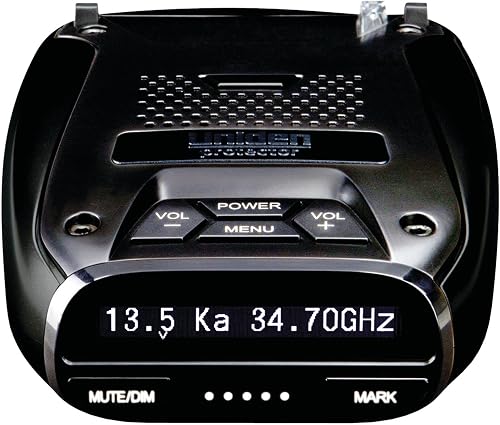
The DFR7 suits drivers whose checklist centers on GPS memory, camera reminders and spoken warnings. Its OLED screen also shows signal details and vehicle battery voltage.
Pros
- GPS memory for recurring location-based false alerts
- Programmable voice alerts and K/Ka filtering
- Free database and firmware updates
Cons
- No directional arrows
- Drivers seeking app support should choose another pick
Choose the DFR7 if your checklist is GPS mute memory, camera reminders and voice warnings. It suits drivers who want those core functions without making arrows or app support part of the decision.
Its OLED screen shows radar band frequency, numeric signal strength, a max-speed warning and vehicle battery voltage. Learn which information you need at a glance rather than treating every screen value as something to monitor continuously.
Uniden says its K/Ka filtering helps reduce unwanted alerts from blind-spot monitoring and collision-avoidance systems. GPS memory separately addresses recurring signals at familiar places, and free database and firmware updates support maintenance.
Skip the DFR7 if you already know you'll want directional information. Buying a simpler model and immediately wishing for arrows is a poor match, even if its other functions meet your checklist.
Compare it with the R3 around the information you prefer to hear and see. If you're still choosing a brand, our guide to which radar detector brand is best broadens the comparison.
Do you need directional arrows on a Uniden detector?
Choose arrows if you want context after an alert, especially on unfamiliar roads. They help you understand signal direction, but they do not show a precise location, identify a vehicle or tell you which lane contains the source.
Direction and signal strength answer different questions. An arrow describes where a signal appears to originate, while strength describes the received signal, which can change with distance, obstructions and reflections.
An alert may change direction as you pass a source. Use that as context while continuing to watch traffic, rather than repeatedly checking the screen to follow every change.
Arrows are less valuable if you prefer to hear a warning and leave the screen alone. In that case, prioritize clear voice settings, a stable mount and sensible muting over more visual detail.
Neither an arrow pointing behind you nor a fading signal establishes that you can change your driving safely. Treat the information as one part of road awareness.
Is GPS useful for everyday driving?
GPS is most useful on routes you drive repeatedly, where the same stationary sources can trigger alerts. A familiar commute gives location memory more chances to help than a trip through entirely new areas.
Repeated signals near stores are different from interference moving with traffic. Saving a location can address the former, while filtering is more relevant to unwanted signals that do not remain in one place.
Mute only signals you have good reason to recognize as recurring interference. Do not save a location simply because an alert is inconvenient or because you cannot see its source.
Automatic learning also needs time and repeated exposure. Avoid making several setting changes at once while it learns, since that makes it harder to understand why your alert pattern changed.
Camera reminders serve another role: they warn about stored locations rather than proving a camera is currently present or active. Road signs, traffic signals and the conditions in front of you remain the guide for how to drive.
User marks are useful for places you deliberately want remembered. Give each one a clear purpose, and remove marks that no longer help so routine announcements remain meaningful.
Should you choose a connected Uniden model?
Choose a connected model when you have a specific use for its app support and are willing to maintain the setup. Connectivity alone is not a reason to assume better detection.
Before buying, decide whether you want to pair a phone and spend time learning another interface. Check app compatibility with your phone and operating system, and understand any permissions before enabling them.
Complete pairing and preference changes while parked. If you use a phone mount too, arrange both devices so neither blocks your view or creates a reason to reach across the cabin.
Avoid buying around an assumed app feature. Wi-Fi and Bluetooth support do not, by themselves, establish how every update, setting or alert will work.
For a detector-centered routine, the Uniden R7 review explains our top pick. Our guide to how radar detectors work helps separate signal detection from phone-based tools.
How should you set up a Uniden detector before driving?
Start with a stable mount, a clear view and understandable alerts. Configure the device while parked, then make small changes as you learn your regular routes.
Check the vehicle and mounting position
Read the detector manual and your vehicle's guidance before choosing a position. Windshield coatings, heating elements and nearby equipment can affect where electronics should sit.
Keep the detector level and follow the model's mounting instructions. Avoid a position that hides road signs, interferes with an airbag area or forces you to lean over to reach controls.
Check the display from your normal driving posture. A screen that looks clear while you're parked close to it may be harder to read once you're seated back with sunlight on the windshield.
Route power before adjusting alerts
Use a suitable power source and compatible cable for the model. Route the cord away from pedals, steering controls, gear selectors and any place it could catch your hand.
Check that the connection stays secure without putting strain on the plug. If you plan a permanent wiring installation, confirm compatibility and the correct procedure before changing vehicle wiring.
Learn the warning types while parked
Read the manual's descriptions of radar, laser, camera and user-mark alerts. These warnings have different meanings, so learning their sounds and labels helps prevent confusion later.
Set voice volume high enough to hear without making routine alerts startling. Adjust screen brightness for clear reading, and revisit it if nighttime glare becomes distracting.
Start with the recommended settings for your model. Copying a stranger's entire settings menu can remove information you need or create noise that does not fit your area.
Make one change at a time
Use the same route to understand recurring alerts, then change one relevant setting while parked. Keeping a short note of changes makes it easier to undo a choice that creates confusion.
Do not disable a band solely to make the cabin quiet. Understand what the setting controls and consult reliable guidance for where you drive before changing detection coverage.
How should you respond to radar and laser alerts?
Respond by checking your speed, following road conditions and staying focused on traffic. An alert adds information; it does not call for a sudden maneuver.
Do not brake sharply just because the detector sounds. Abrupt reactions can create a hazard, and the alert itself does not establish what caused the signal.
Signal strength is not a distance meter. A weak signal may be distant or obstructed, while a stronger one may come from a source you still cannot see.
Some radar sources transmit only briefly. If there was no earlier signal available to receive, a detector cannot create advance warning from it.
Laser is different from radar because its beam is narrow. A laser alert may arrive too late to provide useful advance notice, and a detector does not block a speed measurement.
Our guide to whether radar detectors pick up lidar explains that limit. Buy for better awareness, rather than expecting any model to guarantee a warning before every measurement.
How do you care for the detector and keep alerts useful?
Keep the detector clean, securely mounted and current so its operation stays predictable. Care also includes reviewing settings and saved locations, rather than only wiping the screen.
Use the cleaning method in the manual. Avoid spraying cleaner directly onto the device, soaking openings or using abrasive materials on the display and sensor areas.
Inspect the mount and cable periodically. A loose mount can shift the angle or drop the detector, while a damaged cord or strained connector can cause intermittent power.
Follow the manual's storage guidance, especially in a parked vehicle exposed to heat. Remove the detector from view when appropriate, and store it where its screen and connectors will not be scratched.
Check firmware and camera database instructions for your exact model. They serve different purposes, so completing one update does not necessarily mean both are current.
Our radar detector firmware update guide covers the process. Use the correct files and instructions for your model, maintain stable power and avoid interrupting an update.
Review saved locations when your route or surroundings change. A closed store, a moved source or an old user mark can leave you with reminders that no longer serve a purpose.
Which buying mistakes should you avoid?
The biggest mistake is buying features you won't use while overlooking daily setup. Mounting, understandable warnings and manageable noise affect every drive.
Treating range language as a fixed distance
Long-range descriptions are not a promise of a set number of miles. Road shape, signal direction, obstructions and transmission timing prevent a single distance from describing every encounter.
Choose features that help you interpret available alerts. Do not infer a precise performance ranking from processor names or promotional range wording.
Confusing quiet operation with complete awareness
A quiet detector may be filtering unwanted signals, remembering a location or receiving no relevant signal at all. Silence does not tell you which explanation applies without more context.
The goal is meaningful warnings, not the fewest sounds possible. Excessive muting can make a device pleasant to live with while reducing information you intended to receive.
Choosing the wrong model variant
Confirm the exact model name before ordering accessories or following setup advice. The R4W and R8W should not be treated as interchangeable with similarly named models.
A guide, cable or update intended for another version may not apply. Read the compatibility instructions rather than relying on a familiar-looking model number.
Expecting a detector to replace road judgment
Camera databases can be incomplete, signals can be intermittent, and alerts cannot account for every road hazard. Keep attention on signs, traffic and safe spacing even when the device is silent.
If you dislike audible interruptions or know you'll ignore frequent warnings, consider whether you'll use a detector consistently. Adding electronics only helps when you understand and act sensibly on the information.
Which Uniden radar detector should you choose?
Choose your Uniden radar detector by the feature you'd miss most. If unexplained signals bother you, start with direction; if repeated commute alerts bother you, start with location memory and manageable filtering.
Pick the R7 when directional information is the main goal. Choose the R8W when you also have a clear use for connected tools and are willing to configure them.
Choose the R4W for an app-focused routine with automatic learning. The R3 fits familiar-route driving without an app priority, while the DFR7 suits a checklist centered on core reminders and spoken warnings.
Before ordering, settle the mounting position and check the rules for your vehicle and travel routes. Our guide to radar detector laws is the useful next step before choosing your final model.
Our top 3 picks at a glance
-
1
-
2
-
3
Frequently asked questions
Which Uniden radar detector has directional arrows?
The Uniden R7 and R8W have dual antennas and directional arrows that indicate the direction of a detected radar signal. Choose the R7 when direction and display detail cover your needs, or the R8W when you also want connected features; arrows do not identify a specific vehicle or lane.
What is the difference between the Uniden R3 and R4W?
The R4W adds Wi-Fi, Bluetooth, R/TACH app support and automatic learning for recurring false alerts; the R3 focuses on GPS mute memory, programmable voice warnings and camera reminders. Choose the R4W if you plan to use its connected tools; choose the R3 when those extras do not solve a daily need.
Do Uniden radar detectors mute common false alerts?
All 5 picks have GPS-based mute memory, while the R4W and R8W include automatic learning; this helps with recurring signals at familiar places, such as automatic doors. It does not silence every unwanted alert, especially interference that moves with traffic, and a quiet detector does not confirm that the road is clear.
Can these Uniden detectors alert you to red-light cameras?
All 5 picks include red-light and speed-camera alerts; these are location reminders, so database upkeep matters and coverage should not be assumed complete. The R7, R3, R8W and DFR7 include free database and firmware updates; follow signs and signals even when the detector gives no camera warning.
Will a radar detector always give enough warning?
No radar detector can promise advance warning in every encounter; terrain, curves, traffic and the way a radar source operates affect what reaches the detector. Laser presents a different challenge because its beam is narrow; use alerts as added information, and keep your speed and attention appropriate for the road.