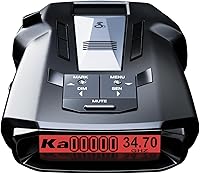
Best Radar Detectors for Cars
The Uniden R7 is our top pick for the best radar detector because its arrows add direction to each alert and GPS memory helps with repeat false signals. Choose the Uniden R3 for spoken warnings, the Cobra RAD 700i for automatic location learning, or the Cobra RAD 480i for flexible mounting.
On this page (10 sections)
- Which radar detector is best for your driving needs?
- Which radar detector should you choose?
- How do you choose a radar detector for your car?
- What affects radar detection range on real roads?
- How should you set up a radar detector before driving?
- Do radar detectors detect laser?
- Are radar detectors legal in your state?
- How do you care for a radar detector and keep alerts useful?
- What mistakes should you avoid when buying or using one?
- Which is the best radar detector for you?
The Uniden R7 is our top pick for the best radar detector for your car because its directional arrows help explain alerts, while GPS mute memory helps manage familiar false signals. Choose the Uniden R3 for location memory and spoken warnings, or consider the Cobra models if shared alerts fit your routine.
The right choice depends on what you need to learn from an alert. Direction, repeat-location filtering and information from other drivers solve different problems.
CannyCabin compared the supplied features and controls to match these 4 models with clear buyer needs. A detector adds information about your surroundings, but it cannot promise warning before every speed measurement.
Start with your usual route and the alerts you can follow without distraction. Our radar detector buying tips can help narrow the choice, and you should check whether radar detectors are legal where you drive before installation.
Which radar detector is best for your driving needs?
The Uniden R7 is the strongest fit for drivers who want directional context. Choose another model when spoken alerts, automatic location learning or installation flexibility matters more to you.
| Model | Score | Best suited to | Main reason to choose it |
|---|---|---|---|
| Uniden R7 | 9.1 | Drivers who want signal direction | Arrows and GPS mute memory |
| Uniden R3 | 8.9 | Drivers who prefer spoken warnings | Programmable voice alerts and GPS memory |
| Cobra RAD 700i | 8.6 | Commuters who want connected alerts | GPS AutoLearn and Drive Smarter connectivity |
| Cobra RAD 480i | 8.5 | Drivers comparing mounting methods | Included windshield and dash mounting options |
These scores reflect feature fit for this guide. They are not measured detection distances or a promise that one model will give more warning on every road.
Buy for the problem you want to solve. Arrows help you interpret a signal's direction, while location memory addresses repeated alerts at familiar places.
Shared alerts serve another purpose: they add reports from connected drivers. Their usefulness depends on a working connection and the reports available along your route.
What makes the best radar detector useful every day?
A useful detector gives you alerts you can understand without constant attention. Start with readable warnings, suitable filtering and controls you can set before driving.
For a repeated commute, think about how you will handle familiar door sensors and other recurring sources. For unfamiliar roads, think about how clearly the detector explains a new signal.
If you prefer spoken information, make voice controls part of the buying decision. If you already use a connected route display, consider whether adding shared alerts would help or simply add more screen activity.
Avoid choosing by a range claim alone. Learn how radar detectors work so you can separate useful features from expectations no detector can meet.
Which radar detector should you choose?
Choose the R7 for direction, R3 for spoken warnings, RAD 700i for automatic location learning, or RAD 480i for mounting flexibility. The product notes below explain who benefits from each choice and when to skip it.
Uniden R7: best for frequent highway drivers
The Uniden R7 suits drivers who want to understand where a detected signal is coming from. Its front and rear antennas support directional arrows, with band and signal strength information for each detected signal.
The OLED can show up to 4 signals at once. That is useful when several sources are present, though you should learn the screen layout while parked rather than study it in traffic.
GPS mute memory can remember common false-alert locations on regular routes. Preloaded red-light and speed-camera locations add a separate type of warning, with free database and firmware updates available.
Choose the R7 if direction would answer a recurring question for you, such as whether a signal remains ahead or has moved behind your car. The arrows describe detected signals, so they do not identify a vehicle or prove the source is police radar.
Skip it if you want only a simple warning and rarely look at a detector display. Its main advantage matters less when you do not plan to use the extra context.
Read our Uniden R7 review if this mix of location memory and directional information matches your driving.
Uniden R3: best for familiar daily routes
The Uniden R3 fits drivers who want location-based controls and programmable voice alerts. It pairs GPS mute memory with a multi-color OLED, giving you spoken and visual ways to receive warnings.
You can save geographic points and receive a “user mark ahead” announcement as you approach. That is useful for a place you want remembered on future trips, separate from muting a recurring false alert.
The R3 also includes preloaded red-light and speed-camera locations, plus free database and firmware updates. Keeping those files current is part of using the location features well.
Choose it if spoken warnings and control over familiar locations meet your needs. Learn the difference between a saved user point and mute memory before building up either set of locations.
Skip the R3 if seeing the direction of a signal is central to your choice. The R7 is the model in this group that provides directional arrows.
Our Uniden R3 review covers its controls and helps you decide whether its feature set is enough for your regular driving.
Cobra RAD 700i: best for connected commuters
The Cobra RAD 700i suits commuters who want automatic location learning alongside shared reports. Cobra says its GPS-based AutoLearn Intelligence learns recurring false-alert locations over time and reduces those alerts.
Built-in Bluetooth connects it to the Drive Smarter community. Apple CarPlay and Android Auto compatibility let you view your route and interact with alerts through a compatible vehicle display.
The detector provides front and rear signal detection. Its 5-color OLED also lets you choose a display color that works with your interior lighting.
Choose the RAD 700i if you are comfortable setting up a phone connection and want location learning to support a repeated commute. Automatic learning still calls for attention to unexpected alerts and a basic understanding of the controls.
Skip it if you want no phone involvement and shared reports are the main reason you are considering it. Also skip it if directional arrows are a must, since front and rear detection alone does not provide that display feature.
See our guide to the best Cobra radar detectors to compare this connected approach with the brand's other options.
Cobra RAD 480i: best for flexible installation
The Cobra RAD 480i fits drivers who want to compare a windshield position with a dash position before settling on an installation. It includes a 12V vehicle power cord, suction cup windshield mount and hook-and-loop dash fastener.
Its LaserEye technology provides front and rear detection. Cobra says the updateable IVT filter and anti-falsing circuitry reduce unwanted alerts from vehicle systems such as blind-spot monitoring.
Bluetooth supports shared community alerts, with Drive Smarter connectivity and Apple CarPlay and Android Auto compatibility. Set up the connection before departure so the extra information does not become a task during the drive.
Choose it if the included mounting choices solve a real installation need and you also want access to connected alerts. A dash fastener is useful only if your vehicle has a suitable, permitted position with a clear signal path.
Skip it if built-in location learning is your main goal. The RAD 700i is the Cobra choice here with GPS AutoLearn.
Our Cobra radar detector comparison can help you decide which set of controls fits your routine.
How do you choose a radar detector for your car?
Choose by route, alert style and installation needs, in that order. This keeps you from buying features that sound useful but do little for the trips you actually take.
Match filtering to the places you drive
For a repeated commute, managing recurring false alerts deserves close attention. Passing the same source every day can make any warning feel routine, which is a poor habit to build.
Location memory and signal filtering work in different ways. Location memory ties a muted alert to a place, while filtering works on the signals the detector receives.
Neither means you should dismiss every alert near a familiar store. Learn how your chosen model stores, removes and handles muted locations before relying on that feature.
For mostly unfamiliar roads, clear alert information may matter more than a large set of saved locations. You will still benefit from sensible filtering, but your daily use will involve fewer familiar points.
Decide how much alert detail you will use
Choose arrows if direction helps you understand what is happening around the car. Choose spoken warnings if hearing an alert is more useful to you than reading several details on a screen.
More displayed information calls for more restraint. Decide in advance which cues matter, then leave the detailed controls alone while moving.
Front and rear detection describes where signals can be received. Directional arrows add a visual indication of a detected signal's direction, so do not treat those phrases as interchangeable.
Decide whether connected alerts fit your routine
Connected alerts make the most sense if you are willing to maintain the phone and app connection. Account setup, permissions and vehicle-display pairing should be finished before your first drive.
A shared report is different from a signal detected by your own device. It may describe something another driver encountered, and that situation can change before you reach the location.
Check that the connected features work with your phone, vehicle and preferred display arrangement. Do not assume compatibility with a vehicle display means every part of setup happens without a phone.
Separate camera locations from radar detection
Camera-location alerts use saved geographic information. A warning about a stored camera point does not mean the detector has received radar from that camera.
A camera database also cannot tell you that every enforcement location is included. Treat it as one source of location information and keep following road signs.
User marks serve a different purpose again: they let you save a point you want announced later. Use clear reasons for saving points so you do not fill familiar routes with alerts you no longer need.
Check the whole installation before choosing
Look at your available power outlet, permitted mounting positions and cable path. A detector that fits your feature needs still needs a secure place in the car.
Consider whether you will leave it installed or remove it after each trip. Frequent removal makes easy access to the mount, connector and storage space more important.
Keep room for other equipment without crowding your view. A phone, dash camera and detector should not compete for the same small patch of windshield.
What affects radar detection range on real roads?
Road shape, obstructions and the radar source affect warning time, so there is no single useful range figure for every drive. A long straight road and a bend behind a hill present very different conditions.
Radar can reach a detector directly or after reflecting from objects. Hills, curves, traffic and buildings can change when a usable signal reaches your car.
A detector also needs a signal to receive. If radar is activated only briefly toward a nearby vehicle, there may be little earlier activity available to detect.
This is why an alert can arrive suddenly even with a sensitive detector. Buying a more capable model does not remove the limits created by timing and line of sight.
Sensitivity and quiet operation require different decisions
Sensitivity concerns the ability to pick up signals. Quiet operation also depends on filtering, stored locations and the settings chosen for the route.
Do not judge a detector only by how often it sounds. A busy detector is not automatically more useful, and a quiet one is not automatically ignoring relevant signals.
Begin with the manufacturer's recommended settings and learn what each control changes. Avoid copying a long custom setup meant for another region without understanding the choices.
Learn band information before changing band settings
Band labels help explain the kind of signal being reported. They do not, by themselves, identify the exact source or tell you what action another driver is taking.
Read what X, K and Ka bands mean before disabling any band. A setting that quiets one route may remove information you need somewhere else.
If your travel area changes, review the setup while parked. Settings chosen only for your home commute may not suit an unfamiliar trip.
How should you set up a radar detector before driving?
Finish mounting, power checks and alert settings while parked. A short setup routine prevents loose cables, unreadable displays and unfamiliar controls from becoming problems on the road.
Choose a clear, secure mounting position
Follow the detector instructions and your vehicle manual when choosing a position. The device should face as directed, sit securely and have the required view through the windshield.
Keep it out of your sightline and away from airbag deployment areas. Check for cameras, sensors and other vehicle equipment before attaching a mount or routing a cable.
Some windshield coatings and heated-glass designs can affect signal reception. Consult your vehicle manual if you are unsure whether a particular area is suitable.
Our guide to where to mount a radar detector explains the placement questions to settle before attaching it.
Route power without creating an obstruction
Keep the cable clear of pedals, steering controls, gear selection and moving seat parts. Leave enough slack at the connector to avoid pulling on it, without leaving loops that can catch.
Confirm that the detector powers up correctly before departure. Also check how your vehicle outlet behaves when the ignition turns off, since outlet behavior varies between cars.
If you are considering permanent wiring, follow the relevant installation instructions and get qualified help when needed. Do not improvise connections around airbags or unfamiliar electrical circuits.
Set sound and display controls for your car
Choose a volume you can hear over normal cabin noise without making every alert startling. If you use voice warnings, learn their wording before depending on them in traffic.
Set display brightness with daytime and nighttime visibility in mind. A screen should be readable with a brief glance and should not create a distracting reflection after dark.
Use a display color because you can read it easily. Matching the dashboard is secondary to clear information.
Build location memory carefully
Identify a recurring source before saving a mute location. Repetition alone is not proof that every signal at that place is harmless.
Learn how to remove a saved point, and revisit it if nearby roads, buildings or your route change. Avoid adding locations simply to make the detector stop sounding.
On a new commute, give yourself time to understand the alert pattern. Do not build a large set of muted points during one unfamiliar drive.
Do radar detectors detect laser?
All 4 models here include laser detection, but it should not be your main reason for choosing among them. A laser alert may arrive after a speed measurement is already underway.
Lidar uses a narrow beam aimed at a vehicle. That creates a different detection problem from receiving radar energy spreading or reflecting along a road.
Mounting and obstructions still matter, but no placement turns a laser alert into guaranteed advance notice. An alert is a reason to stay attentive, not evidence that a measurement was prevented.
Cobra describes both of its models here as detection-only devices. Detecting a signal does not mean interfering with it.
Read our guide to whether radar detectors detect lidar if laser detection is a major part of your buying decision.
Are radar detectors legal in your state?
Check current rules for every location and vehicle involved in your trip. Detector-use rules and mounting restrictions are separate questions, so confirm both before installation.
A device being available to buy does not establish that you can use it in every vehicle or jurisdiction. Rental, work and commercial vehicles also deserve a separate check.
Our guide to radar detector laws in Virginia and Washington, D.C. covers those locations. The broader radar detector laws guide helps you start checking other places.
Recheck before a trip that crosses unfamiliar jurisdictions. Save the decision for before departure rather than changing or removing equipment while moving.
How do you care for a radar detector and keep alerts useful?
Keep the mount secure, the device clean and its software current. These routine tasks help preserve the installation and keep saved information useful.
Check the mount and connectors
Inspect the mount for looseness before driving, especially after moving the detector between cars. Clean the attachment surface using the mount and vehicle instructions.
Check the power cable for pinching, damage or strain near connectors. Support the unit when unplugging it rather than pulling it away by the cord.
If it repeatedly loses power, stop and resolve the connection before relying on it. A device that restarts during a drive can leave you unsure which settings or connections are active.
Clean and store it with care
Use the cleaning method recommended by the manufacturer. Avoid spraying cleaner directly onto the device or pushing moisture into openings.
Protect it from avoidable heat and moisture, following its storage guidance. When removing it, place it somewhere secure rather than leaving it loose on a seat or dashboard.
Keep the mount and cable together if the detector moves between vehicles. That reduces hurried installation and makes it easier to check the complete setup before a trip.
Review updates and saved information
Check the manufacturer's instructions for firmware, database and app updates that apply to your model. Read the update notes so you know whether a change affects settings or saved locations.
Our guide to updating radar detector firmware explains how to approach the update process. Use the correct files and connection method for your exact device.
Review old user marks and muted locations after a route change. A useful alert setup should reflect where you drive now.
What mistakes should you avoid when buying or using one?
Avoid expecting one feature to solve every alert problem. Most poor choices come from confusing detection, location information and shared reports.
Buying by the longest-range claim
A broad range claim does not describe every hill, curve or brief signal you will encounter. Choose the alert tools you need and plan a suitable installation.
Do not turn the first drive into a judgment based on how many alerts sound. Learn the controls and route conditions before deciding which settings need adjustment.
Treating every alert as the same event
A detected radar signal, a saved camera location and a report from another driver come from different sources. Learn how your detector and app label each one.
That distinction helps you understand why an alert appears without searching through menus. If you cannot yet tell them apart, review the guide while parked.
Muting first and learning later
Repeatedly silencing an unfamiliar warning can build the wrong habit. Understand the source and the relevant control before storing a mute or changing sensitivity.
Avoid disabling whole bands just because another driver recommends it. Choose settings for your own driving area and review them before unfamiliar travel.
Paying for connected features you will not maintain
Shared alerts add phone setup and connection checks to your routine. If you regularly leave the app disconnected, that part of the feature set contributes little.
Be honest about how much upkeep you want. A simpler alert routine that you understand is easier to use consistently.
Handling controls while moving
Choose settings, enter saved locations and adjust the mount before departure. If something needs attention during the trip, stop somewhere safe first.
Do not follow arrows or signal strength as though they were turn-by-turn directions. Their purpose is to provide context about a detected signal.
Which is the best radar detector for you?
Choose the best radar detector by the information you will actually use. Set one main priority, then use the decisions below to make the final choice.
- Pick the Uniden R7 if understanding signal direction is worth learning a more detailed display.
- Pick the Uniden R3 if spoken warnings and control over familiar locations cover your needs.
- Pick the Cobra RAD 700i if automatic location learning and connected reports fit your daily commute.
- Pick the Cobra RAD 480i if its included mounting choices solve your installation needs and you want shared-alert access.
Before ordering, confirm your legal use, mounting position and power arrangement. Then use our radar detector buying tips to check that your chosen features solve a real need on your usual routes.
Frequently asked questions
What is the best radar detector for most drivers?
The Uniden R7 is our top pick because directional arrows help explain where a detected signal is coming from, while GPS memory can mute familiar false alerts. Choose the Uniden R3 if spoken warnings and location memory cover your needs, or compare the Cobra models if shared alerts matter more.
Are radar detectors legal everywhere?
No, you should not assume a radar detector is legal everywhere you drive; rules can depend on location, vehicle type and mounting method, so check before installing one or crossing state lines. Our guide to where radar detectors are legal gives you a starting point for that check.
Do radar detectors detect lidar?
All 4 models here include laser detection, but a laser alert may arrive without useful advance warning; lidar uses a narrow beam, so detecting it differs from picking up radar signals nearby. Read about what laser detection can and cannot do before making it a deciding feature.
Where should I mount a radar detector?
Mount it where the device instructions allow a clear view through the windshield, without blocking your sightline or any airbag; check local mounting rules and your vehicle manual before choosing a spot. Our radar detector mounting guide explains placement, access and cable-routing questions to consider.