Which Radar Detector Brand Is Best?
Among radar detector brands, choose Uniden R3 for GPS memory and camera warnings, Cobra RAD 700i for shared reports, Escort MAX 360c MKII for arrows and connected updates, or Valentine One Gen 2 for directional information and app-based signal analysis.
On this page (11 sections)
- Which radar detector brands fit your driving priorities?
- What makes Uniden R3 a good fit for familiar routes?
- What does Cobra RAD 700i offer connected commuters?
- When is Escort MAX 360c MKII worth choosing?
- Who should consider Valentine One Gen 2?
- How do false-alert controls differ between these models?
- Which features deserve priority before you buy?
- How should you set up a new radar detector?
- What care keeps a radar detector useful?
- What mistakes should you avoid with any radar detector brand?
- Which radar detector brand should you choose?
The best choice among radar detector brands depends on your driving: Uniden R3 suits familiar routes and camera warnings, Cobra RAD 700i adds community reports, Escort MAX 360c MKII combines arrows with connected features, and Valentine One Gen 2 emphasizes directional information.
Choose the features that solve a problem on your actual trips. A detector that interrupts you at every storefront needs a different feature set from one you want for unfamiliar highway travel.
This guide compares 4 specific models rather than treating every detector from a brand as the same. For more model options, see our best radar detectors for cars guide.
Which radar detector brands fit your driving priorities?
Choose route memory for repeated trips, shared reports for connected information, and direction cues for signal location. These features answer different questions, so start with the question you most want the detector to help answer.
| Brand and example | Main reason to consider it | Who should look elsewhere |
|---|---|---|
| Uniden R3 | Familiar routes where GPS memory and camera warnings help | Drivers who require directional arrows |
| Cobra RAD 700i | Community reports and vehicle-display connections | Drivers shopping specifically for direction cues |
| Escort MAX 360c MKII | Arrows, route learning and connected updates together | Drivers who won't use its connected features |
| Valentine One Gen 2 | Directional information and phone-based signal analysis | Drivers whose first requirement is GPS location memory |
These are model choices, not a ranking of each brand's entire range. Buying another model from the same maker doesn't ensure you'll get the features described here.
Compare radar detector brands by your hardest driving problem
Write down what you want to improve before comparing features. “Fewer repeat alerts on my commute” is a useful requirement; “the most advanced detector” doesn't narrow the choice.
If you drive the same roads daily, location-based filtering deserves attention. If you often travel unfamiliar roads, you may care more about direction cues or reports from other drivers.
Also decide how much phone involvement you want. Our radar detector buying tips explain how to turn those priorities into a model shortlist.
What makes Uniden R3 a good fit for familiar routes?
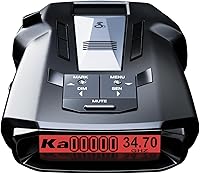
Choose Uniden R3 for GPS mute memory and camera warnings if those are your main needs. It can remember common false-alert locations on regular routes and includes preloaded red-light and speed-camera locations.
The R3 suits a driver who passes the same shopping centers and intersections each week. Location memory addresses a recurring nuisance: hearing the same non-enforcement signal every time you pass a familiar place.
Its programmable voice alerts let you choose spoken warnings that suit your preferences. User-marked points can also trigger an announcement, which helps distinguish a place you saved from a newly detected signal.
Don't confuse a stored camera warning with live radar detection. A database alert tells you about a recorded location, while a radar alert responds to a signal the detector receives.
Uniden provides free database and firmware updates for the R3. Keeping both current matters because software changes and camera-location information serve different purposes.
Skip the R3 if directional arrows are essential. Choose it for its own controls and location features rather than assuming every Uniden model includes the same functions.
Read our best Uniden radar detectors guide for other options. The Uniden R3 review takes a closer look at this model.
What does Cobra RAD 700i offer connected commuters?
Choose Cobra RAD 700i if you want route learning and community reports in the same detector. Its GPS-based AutoLearn recognizes recurring false-alert locations over time, while Bluetooth connects it to Drive Smarter.
This combination suits a commuter who repeats familiar roads but also wants information shared by other drivers. Cobra says its learning and filtering software reduces false signals as the detector adapts.
Through Drive Smarter, the RAD 700i supports Apple CarPlay and Android Auto for route and alert interaction on a compatible vehicle display. Its own 5-color OLED screen offers a separate way to view information.
Check your phone and vehicle setup before making that connection a reason to buy. App-based features require more preparation than simply plugging in the detector, so decide whether you'll keep using that setup on ordinary trips.
Community reports add context, but they don't confirm that a reported event remains in the same place. A quiet community feed also doesn't mean the road ahead is clear.
Skip the RAD 700i if arrows are a firm requirement. Front and rear signal detection doesn't by itself provide the directional display you're seeking.
For more choices within the brand, start with our best Cobra radar detectors guide.
When is Escort MAX 360c MKII worth choosing?
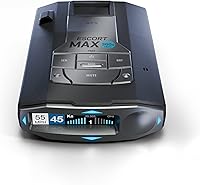
Choose Escort MAX 360c MKII when you want arrows, automatic location learning and connected updates together. Its dual antennas support directional information, and arrows show the direction of a detected signal.
Direction cues help answer a question a basic alert leaves open: where is the signal coming from? They add context as your position changes, but they don't identify the transmitter as police equipment.
Escort's GPS-based AutoLearn learns repeated routes and rejects false alerts from specific locations. Escort also says its filtering reduces false signals from collision-avoidance and blind-spot systems.
The model connects to Drive Smarter for community reports and supports Apple CarPlay and Android Auto compatibility. Dual-band Wi-Fi allows over-the-air software updates, giving you an update route that doesn't depend on moving the detector to a computer.
That feature mix suits someone who wants several kinds of information and will maintain the connections. Configure it while parked, then keep the everyday display focused on information you can understand at a glance.
Skip this model if you only need a straightforward alert and won't use its connected functions. Make arrows and update convenience clear requirements before choosing this fuller feature set.
Our best Escort radar detectors guide covers other options. The Escort MAX 360 MKII comparison explains how two closely named models differ.
Who should consider Valentine One Gen 2?
Choose Valentine One Gen 2 for directional information and access to live signal details through a phone app. Its rear radar antenna and directional indicator suit drivers who want more context about detected signals.
Bluetooth 5.0 connects it to compatible Apple or Android phones and tablets through V1Connection. The app provides a way to analyze the detector's live stream of signal information and access future firmware upgrades.
Valentine One says its K-Verifier technology reduces false alerts from vehicle blind-spot systems and automatic store-door openers. That addresses unwanted signals, but it serves a different purpose from remembering a particular geographic location.
Its supported detection includes X, K, Ka, Super Wideband Ka, Ku and laser. Don't choose it simply because the band list is long; supported bands need to match the signals relevant to your routes.
The included equipment offers windshield and visor mounts, power cords and direct-wire hardware. Those choices help you plan an installation, though included wiring parts don't replace checking your vehicle's electrical requirements.
Skip it if your main goal is GPS location memory or preloaded camera warnings. The R3 is the clearer fit for those stated needs, while the Valentine One appeals more to a driver interested in directional detail.
How do false-alert controls differ between these models?
Choose GPS memory for repeat locations and signal filtering for unwanted transmissions. These tools work on different problems, and neither makes every alert an enforcement warning.
Automatic doors can create recurring alerts at fixed locations. Vehicle driver-assistance systems create a different challenge because the source may move alongside you.
A location-based system can recognize a place you repeatedly pass. Filtering software instead works to distinguish unwanted signal patterns from signals worth reporting.
The R3 provides GPS mute memory, while Cobra and Escort use GPS-based AutoLearn. Valentine One's K-Verifier focuses on reducing certain unwanted signals, including those from blind-spot systems and store doors.
Don't silence an unfamiliar alert just because it happened near a familiar nuisance source. Observe recurring patterns across trips and follow the detector's instructions before saving or changing mute settings.
Also avoid disabling an entire band merely to make the cabin quieter. First understand what that band means and whether it's relevant where you drive.
Read what X, K and Ka bands mean before changing band settings. Our guide to how radar detectors work explains why the same detector can encounter several kinds of signals.
Which features deserve priority before you buy?
Prioritize the features you'll use every week, then check the setup each one requires. A long feature list only helps when it matches your routes and attention habits.
For a familiar commute, start with repeat-alert control. For mixed travel, decide whether you want stored camera locations, direction cues or community information to supplement live detection.
Treat update access as part of the buying decision. A feature that depends on current software or stored locations needs a maintenance routine you can manage.
Ask yourself these questions:
- What bothers me now? Repeated location alerts, unclear signal direction and missing community information call for different features.
- Will I connect a phone? Decide whether app setup and connection checks fit your daily routine.
- Can I understand the alerts? Choose a display and warning style you can learn while parked.
- Where will it sit? Check sightlines, mounting space and cable routing before ordering.
- How will I update it? Choose a method you'll actually use and keep the needed instructions available.
- Can I use it on my routes? Check current rules for the places and vehicle types involved.
Consult our guide to radar detector laws before buying. If your shortlist is down to 2 models, compare the Uniden R3 and R4W or the Cobra RAD 700i and Uniden R3.
How should you set up a new radar detector?
Set up the mount, power and alerts while parked before relying on the detector during a trip. A stable installation and familiar controls matter more than changing every menu option on day 1.
Start with the manual's mounting guidance. Keep the detector clear of obstructions, secure the mount and make sure the unit doesn't block your view of the road or interfere with vehicle equipment.
Some windshield coatings can affect signal reception, so check your vehicle manual if you have coated glass. Our guide to where to mount a radar detector explains placement choices in more detail.
Route the cable away from pedals, steering controls and airbag areas. If you choose a wired installation, confirm the correct electrical connection instead of assuming included adapters suit every vehicle.
Next, learn the difference between radar, laser, saved-location and shared alerts where your model provides them. Set volume and brightness while stationary so you can recognize warnings without searching the display.
For connected models, finish app permissions and pairing before driving. Check what information remains available when the phone isn't connected so you understand the setup's limits.
Begin with the recommended settings rather than copying an unfamiliar driver's configuration. Change one option at a time, then assess whether it addresses a specific problem on later trips.
What care keeps a radar detector useful?
Keep the mount secure, the sensor areas clean and the software current. These simple tasks support consistent use and reduce problems caused by a loose installation or neglected maintenance.
Follow the manual's cleaning instructions and use a soft cloth for routine dust removal. Avoid spraying cleaner directly onto the detector or allowing liquid into openings.
Check suction cups, brackets and cables periodically. Repositioning the detector or moving it between vehicles can leave a mount loose or a connector under strain.
Follow the stated storage and temperature limits. When removing the detector from the car, release it as instructed rather than pulling on its cable.
Treat firmware and location databases as separate items where applicable. An update to one doesn't automatically mean the other has changed.
Our guide to updating radar detector firmware explains the general workflow. Use the files and instructions for your exact model, and complete updates while parked with reliable power.
What mistakes should you avoid with any radar detector brand?
Avoid treating an alert as proof of police activity or silence as proof of a clear road. A detector reports signals it can receive, and useful warning depends on the situation.
Terrain, obstructions and how a signal is used can affect warning opportunities. Don't choose a brand based on a promise that you'll always have enough time to react.
Laser detection also doesn't guarantee useful advance notice. A laser alert may arrive only when your vehicle is already being targeted, so laser support shouldn't be your sole buying reason.
Arrows add direction, not a confirmed identity. Community reports add observations from other drivers, not a complete account of everything ahead.
Another mistake is muting too aggressively because the first few drives feel busy. Learn the warnings and identify recurring sources before changing broad detection settings.
Finally, don't keep adjusting menus while moving. If a warning needs more attention than a brief glance, wait until you can stop safely.
Which radar detector brand should you choose?
Choose between radar detector brands by the feature you would miss most. That rule makes the final decision clearer than trying to name one winner for every driver.
- Choose Uniden R3 if familiar-route filtering and camera warnings are the main reasons you're buying.
- Choose Cobra RAD 700i if you want community reports and will use a compatible phone or vehicle-display connection.
- Choose Escort MAX 360c MKII if directional arrows, route learning and convenient connected updates all matter.
- Choose Valentine One Gen 2 if directional information and app-based signal analysis match how you want to use a detector.
Before ordering, confirm that your chosen model meets your single most important requirement and fits your planned mounting location. No detector replaces attention to traffic, posted limits or road conditions.
For a broader model shortlist, browse our best radar detectors for cars guide.
Frequently asked questions
Which radar detector brand is best?
The best choice among radar detector brands depends on your priorities. Uniden R3 suits drivers seeking GPS memory and camera warnings, Cobra RAD 700i adds community reports, Escort MAX 360c MKII combines arrows with connected updates, and Valentine One Gen 2 suits drivers interested in directional information and signal analysis.
Are Uniden and Cobra radar detectors different?
Yes, the Uniden R3 and Cobra RAD 700i serve different needs: the R3 combines GPS mute memory with preloaded camera locations, while the RAD 700i combines GPS learning with Drive Smarter community reports. Decide whether stored camera warnings or connected reports would help more on your regular trips.
Does Escort make radar detectors with directional arrows?
Yes, the Escort MAX 360c MKII has directional arrows that indicate where a detected signal is coming from; it also includes GPS-based AutoLearn, shared alerts and Wi-Fi software updates. Choose it if those features address your needs, while remembering that arrows don't identify the source or guarantee advance warning.
What should I compare before choosing a radar detector brand?
Compare the exact model's false-alert controls, GPS functions, directional information, phone connections and update method, then consider how you'll mount it and whether you want to manage an app. Check the rules for your routes and vehicle type before buying, and learn the alert controls while parked.